Outreach Kaia
Outreach Kaia is an AI-powered real-time meeting intelligence tool that helps sales reps close deals faster. It uses real-time transcription and analysis to show content cards and suggest action items during live conversations, in order to deliver critical sales content when reps need it.
I joined the team to lead the design initiative for the content card feature. The content card includes key talking points with a reference link and is shown automatically to sales reps based on the conversation. The content card feature is comprised of two different experiences:
Sales enablement team creating and managing content cards for reps
Sales reps consuming content cards in real-time during their call with prospects
Kaia is now live and has been receiving extremely positive feedback.
Project information
Project duration
Aug 2020 to Mar 2021
Role
Design lead
Team
2 product managers
5 front-end & 3 back-end developers
1 UX researcher
Tool used
Figma
Interactive prototype
Goal
Provide sales representatives with concise and relevant content cards created by sales enablement team during live calls with prospective customers
Jobs to be done
Manage content cards
Roles: sales enablement, managers of sales reps, marketing manage
Goal: create and manage content cards that are consumed by sales reps.
Consume content cards
Roles: sales enablement, managers of sales reps, marketing managers
Goal: create and manage content cards that are consumed by sales reps.
Question
“What is a good content card?”
How we define a good content card was crucial as the concept of a real-time content card was a new concept where we needed alignment in the team. In addition, we defined technical requirements as I start designing. Therefore, having a common agreement on what a good content card is was important to ultimately deliver the best experience.
Problem
Enablement needs to make sure that they create the right content that shows up at the right timing for reps.
Right content includes
Short and concise title
Well-summarized 3 key points
Optional links for reference if needed
Right timing is defined based on
Keywords
Conversation topics such as competitor, pricing, integration and feature
Roles
Region
Challenge
Velocity of the project
The engineering team was ahead of design and product, leaving little time for design and product to go deeper.
Technical constraints
Natural language processing (NLP) technology’s capabilities constantly changed.
The technology is complex by nature, making it very easy to complicate the user experience.
Ambiguous scope
We had to define the scope as we go since this is the new product area.
Design process
Directional design for content card creation
Based on high-level requirements, I designed two different approaches:
Day 0: provides step by step guidance on how to create good content cards
Day 100: provides all input fields on a single page
As sales reps will get content cards during their calls, where they are already focused on the conversation with prospects, it was crucial to provide the content that is scannable and digestable at a glance.
Day 0 flowDay 100 flow2. User interviews and testing
I collaborated with a user researcher to test two different approaches to 5 internal and 6 external sales enablement people.
After showing two different approaches, the researcher asked which approach fits into their workflow better, and all of them said day 100 design would work better as it is more efficient. With the character limit that forces users to write succinctly, all participants quickly figured out that content should be written short and scannable.
Therefore, we learned that sales enablement was already expert in writing ‘the right content’. However, we figured that ‘the right timing’ wasn’t quite intuitive for our users. We wanted users to pick a relevant conversation topic and come up with keywords that Kaia NLP can effectively understand, but this wasn’t an easy task for users.
3. Define the system
Research sessions clarified users’ needs and their current job processes. Based on the learning, I started to facilitate conversations with the back-end engineering team in order to define how the Kaia system.
To communicate different concepts and requirements, I have created diagrams below.
This diagram shows how each conversation topic has dependency over other elements in each content card.This diagram shows the overall flow to determine the order of content card creation process.From these diagrams, we aimed to explore two different approaches.
We ask for a card type (conversation topic) prior to them entering the rest.
We ask users to fill out the card content first and have them choose a card type later.
We knew users (sales enablement) were already good at creating their own content, therefore, we explored #2 first. However, as what we need to ask users is different per card type, we decided to go with #1.
4. Design iteration
I started exploring different ways how I can educate users on how the right keywords should be created.
At the same time, I started designing how these cards can show up to reps in their Kaia live calls. I wanted to cover two different scenarios where content cards show up automatically or users want to manually pull up a content card they need.
Details of designs are covered in the section below.
5. Design copy
I wanted to take time and effort to write content in my designs better particularly on how we call a new concept, how we explain the feature, and how we write messages to users.
6. Systems thinking
There are many surface areas for Kaia. I’ve designed a diagram to cover
Kaia live experience for reps when they are in a Zoom call with a prospect
Content card management where users manage content cards
Post-meeting experience that covers meeting summary email and meeting recordings page
This diagram shows all of Kaia’s surface areasSolution
Create content card
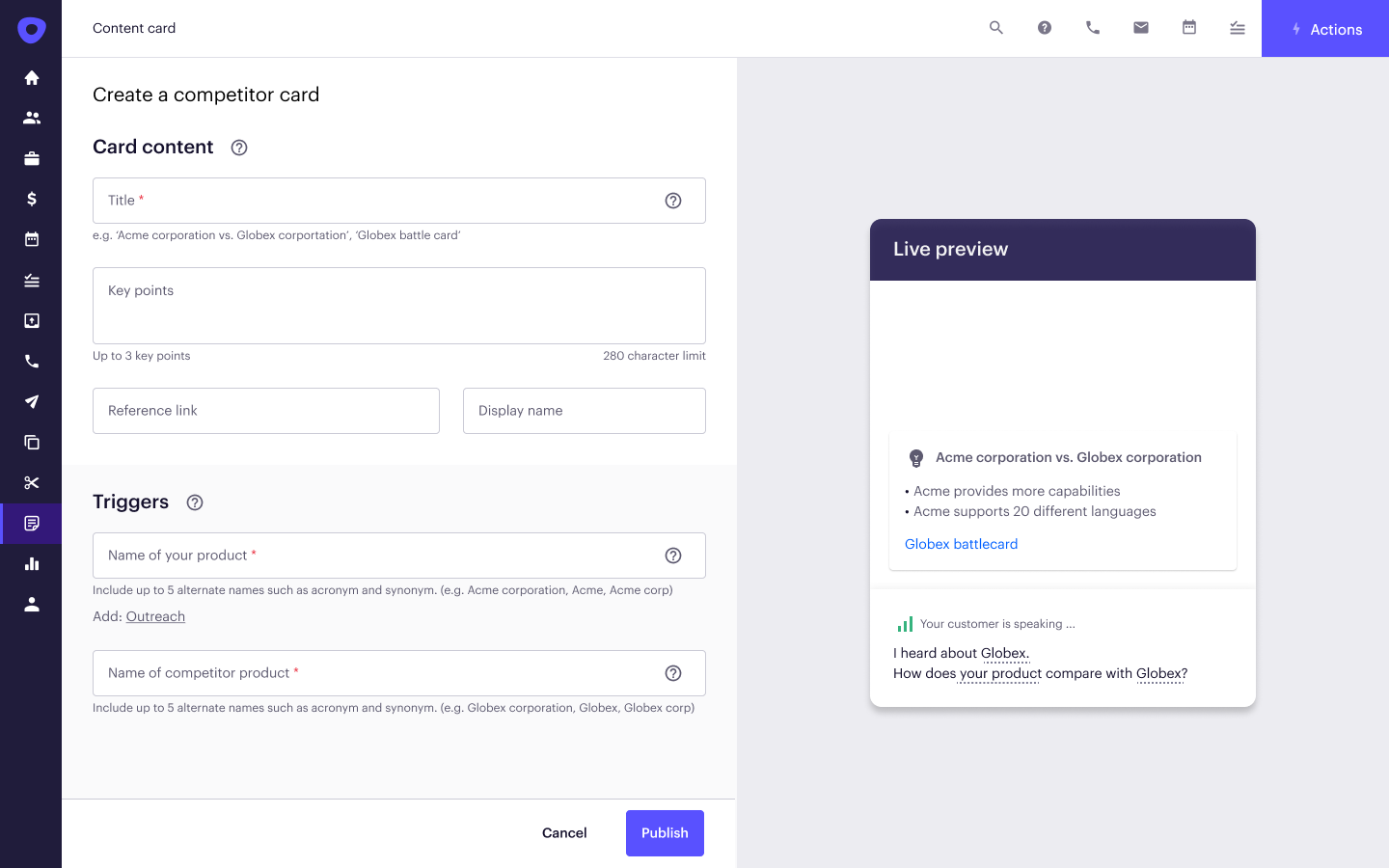
I aimed to design a single page where users can provide all information for content cards.
From the research, I learned that it is rather easier to understand how to write good content but it is difficult to understand how to define the right timing. The right timing is determined by two factors: keyword and conversation topic. The keyword is the most important word in the card. The conversation topic refers to what kind of conversations people are having.
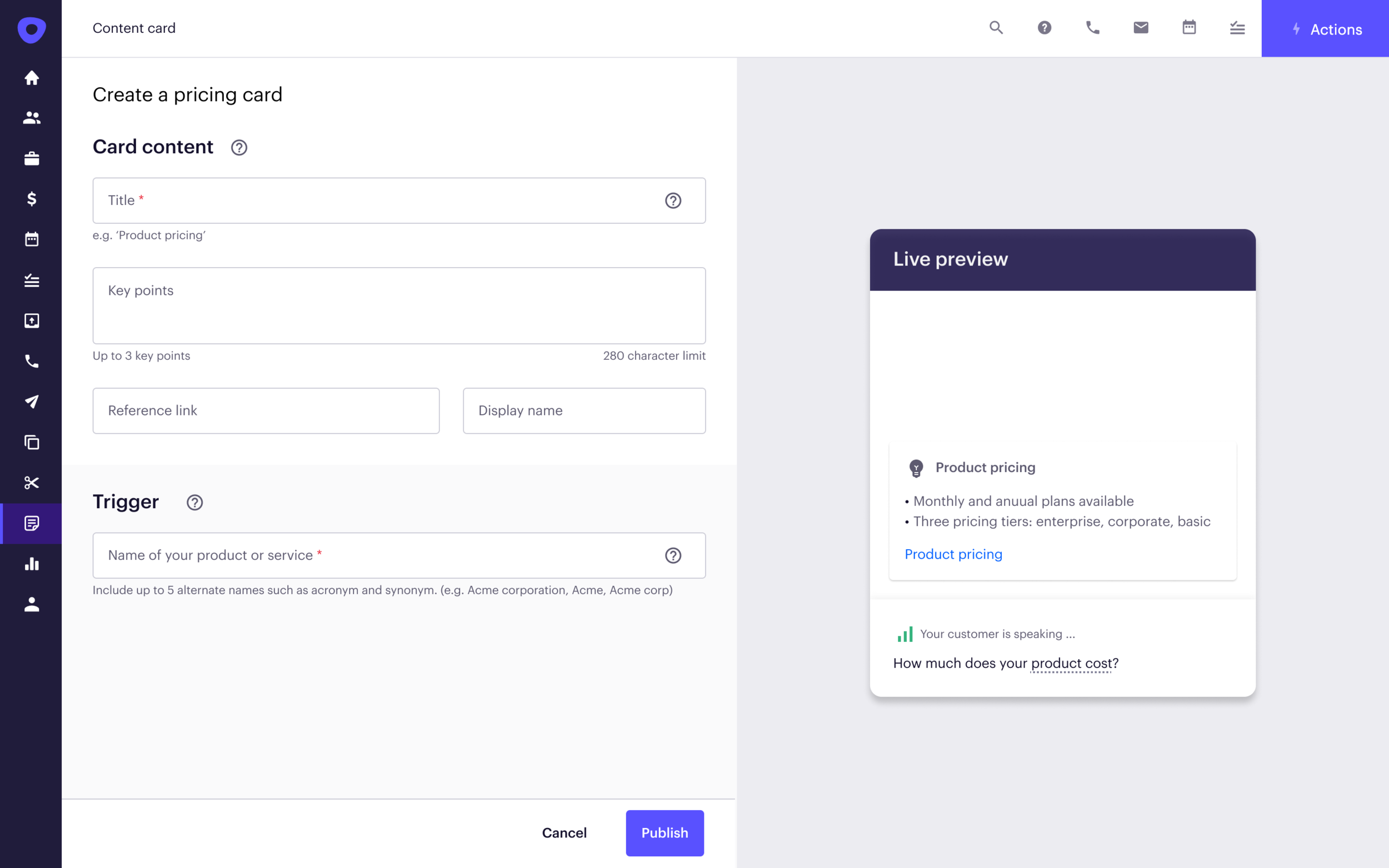
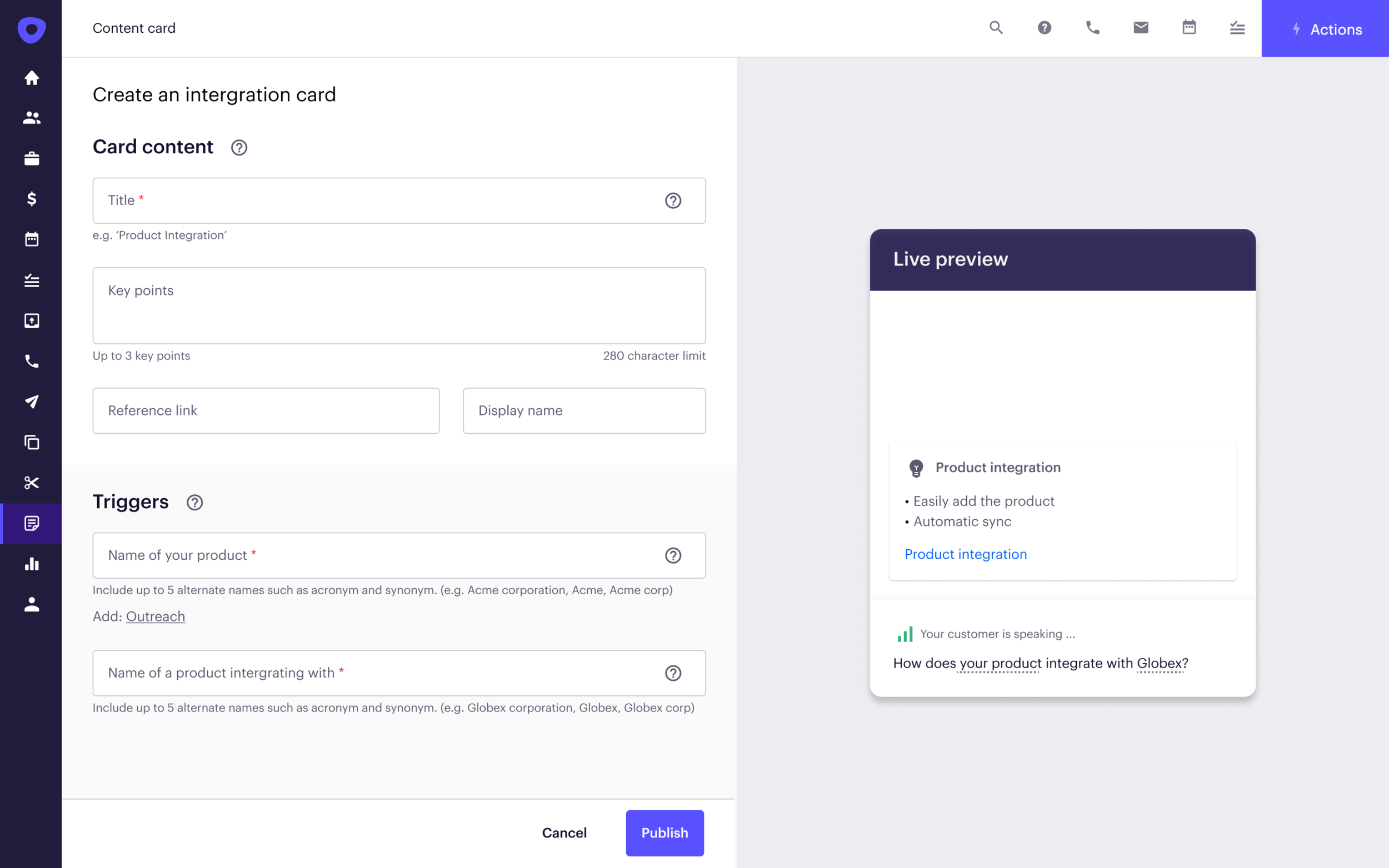
In GA, we supported 4 conversation topics which are competitor, pricing, feature, and integration. Each conversation topic has a different set of utterances. If a prospect says ‘How is Outreach better than Gong?’, better than is considered as a competitor utterance. If a prospect says ‘How much is Outreach Kaia?’, then Kaia detects pricing conversation topic.
These technical details weren’t something we wanted to surface to users. Therefore, I did rounds of explorations on how users can come up with the right keywords for Kaia.
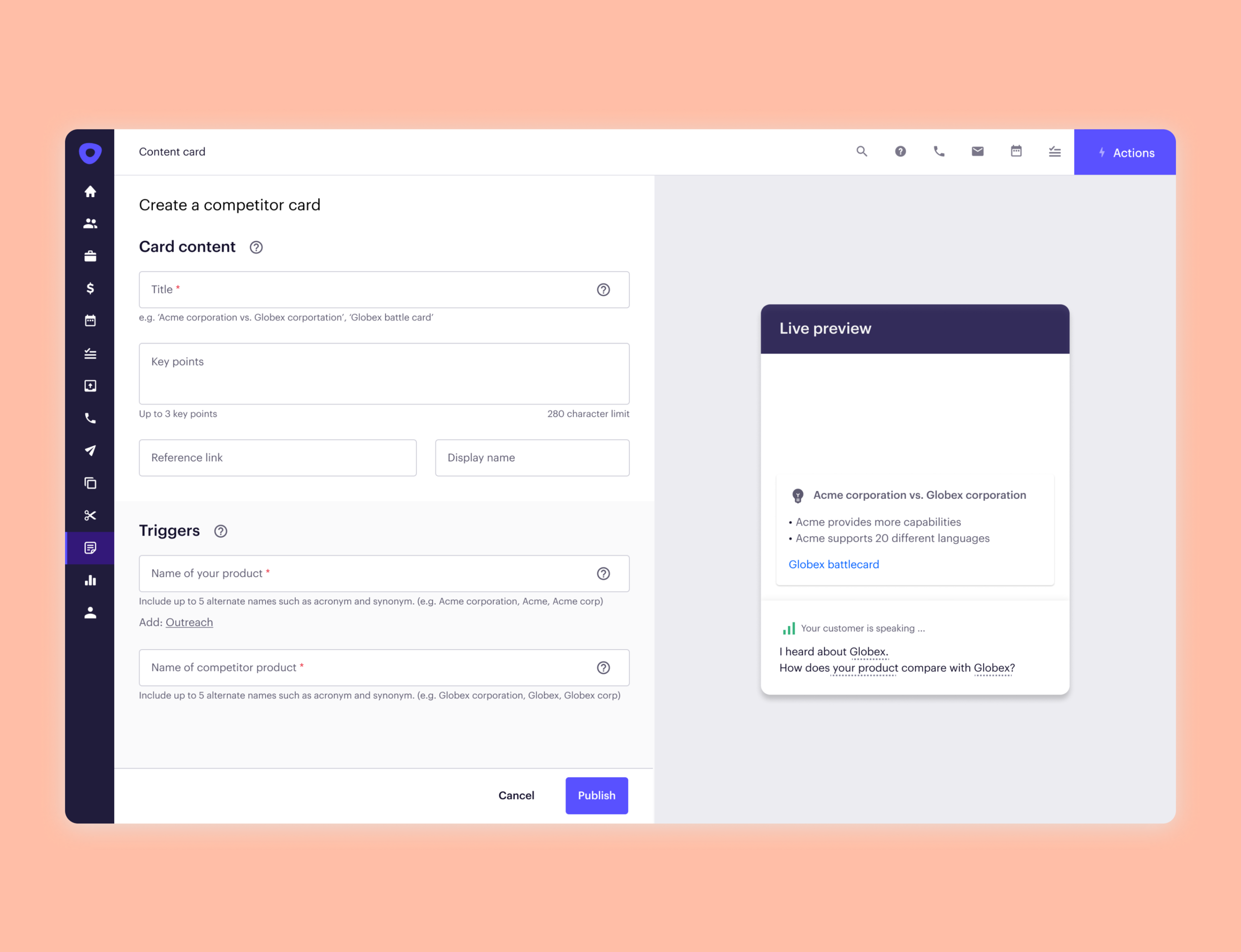
To create a content card, first, users pick a card type (which is a conversation topic).

Each card type has a set of utterances such as for ‘Competitor’, there are ‘I am considering…’, ‘How is … better than …’.After choosing a card type, users enter card content and triggers.
To tell users that utterances are something that comes with the card type, I showed the sample conversation on the right preview pane.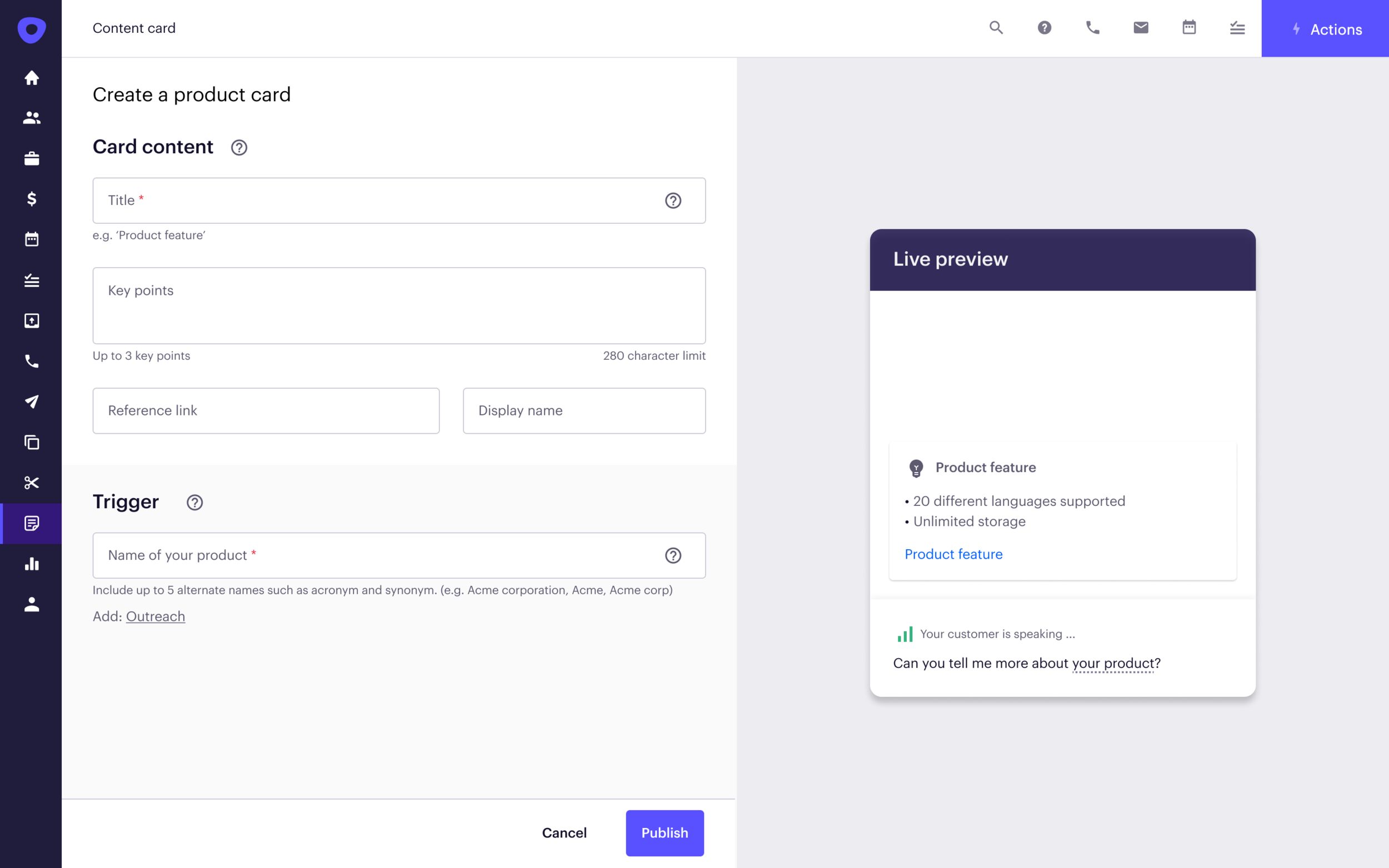
Pulling up content cards manually
During live calls, there could be some cases where 1. Kaia didn’t show the content card as it couldn’t capture keywords or a conversation topic. 2. Reps want to pull up a card without mentioning relevant keywords. The second case was also brought up multiple times during user research sessions.
Therefore, I designed the ability for users to manually look up a card during live calls.
Result
Successfully shipped in May 2021
Below are quotes from our customers:
I think it is very cool to have something come up in real-time like this, and particularly on the competitive piece
The content cards in kaia are 🔥🔥🔥
Kaia is one of the coolest products by far